
- Simple Ways to Use Technology to Transform Your Life and Make Money - August 19, 2026
- How to Make Money on Social Media Without Any Followers - July 30, 2026
- 15 Life-Changing Discoveries You Need to Know - July 26, 2026

If you’ve ever searched for best free AI tools, you’ve probably seen the same popular names repeated everywhere. Tools like ChatGPT, Canva AI, and Grammarly dominate the conversation but here’s the truth most people don’t talk about:
There are hidden gems,powerful, free AI tools that can save you time, boost your income, and make your work easier… and you’ve likely never heard of them.
I discovered this the hard way.When I was trying to earn my first money online, I thought success depended on expensive tools or premium subscriptions.
I kept hitting paywalls, free trial limits, and restrictions that made progress frustrating but one day, I decided to dig deeper and that’s when everything changed.
I found lesser-known AI tools that were completely free and insanely useful.
In this post, I’ll walk you through some of the best free AI tools you didn’t know about, how I use them, and how they can help you work smarter (especially if you’re trying to make money online or grow a content platform).
Why Free AI Tools Matter More Than Ever
Let’s be honest,most beginners don’t have money to invest upfront.When you’re just starting out:
You don’t want to risk paying for tools you don’t fully understand
You need fast results without spending anything
You want tools that actually work, not just hype
That’s where free AI tools become your secret weapon.They allow you to:
Create content faster
Automate boring tasks
Compete with professionals even with zero budget and the best part?
Some of these tools are just as powerful as paid ones.
1. Cleanup Pictures: Remove Anything from Images Instantly
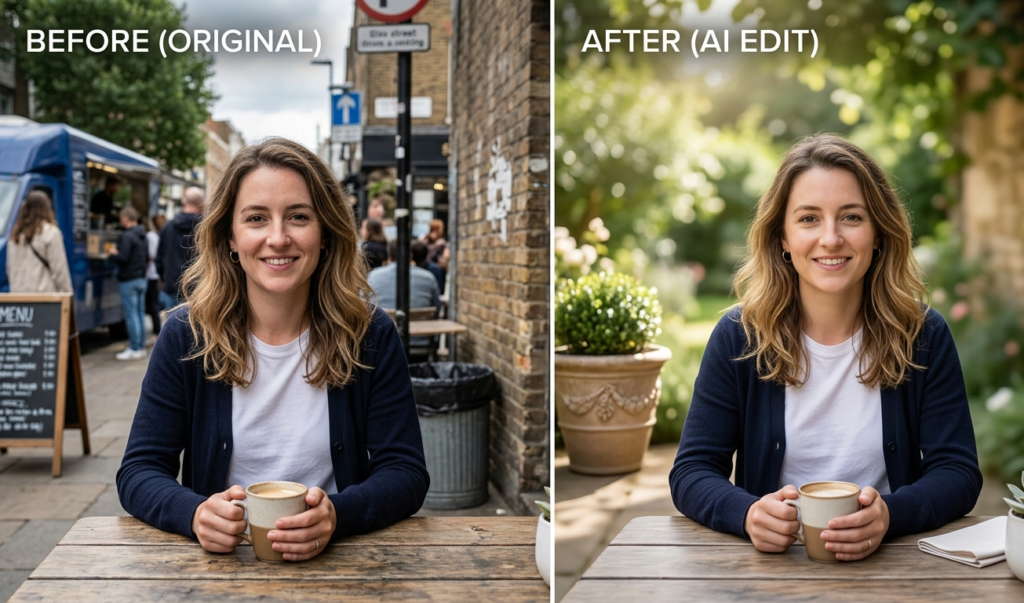
Have you ever taken a perfect photo… only to notice something annoying in the background?Maybe it’s:
A random person
Dirt or clutter
A distracting object
Cleanup Pictures uses AI to remove unwanted elements from your images in seconds.
Why it’s powerful:
No design skills needed
Works directly in your browser
Completely free for basic use
How I use it:
If you create content for Pinterest, blogs, or TikTok, clean visuals matter. I use this tool to make my images look professional without hiring a designer.
2. Durable AI: Build a Website in 30 Seconds
Yes, you read that right,30 seconds.
Durable AI can generate a full website (with text, images, and layout) just by answering a few questions.Why it stands out:
Perfect for beginners
No coding required
Generates business-ready content
Real-life use:
When I wanted to test an idea quickly, I didn’t waste time designing from scratch. I used Durable AI to launch a basic website and start getting traffic immediately.
3. ElevenLabs: Ultra Realistic AI Voice Generator
If you create videos but don’t like using your voice, this tool is a game changer.ElevenLabs lets you turn text into human-like speech that sounds natural and emotional.
What makes it special:
High-quality voice output
Multiple voice options
Great for storytelling content
My experience:For faceless content,this tool helps you create engaging narration without showing your face or using your own voice.
4. Notion AI (Free Features You’re Missing)
Most people think Notion is just for note-taking but its AI features are underrated,even on the free plan, you can:
Summarize content
Generate ideas
Rewrite text
Why it’s useful:
It’s like having a personal assistant inside your workspace.
How I use it:
When I feel stuck writing blog posts or ideas, I let Notion AI give me a starting point. It saves hours of thinking.
5. Remove.bg: Instantly Remove Backgrounds
If you’ve ever tried editing images manually, you know how stressful it can be.Remove.bg uses AI to automatically remove backgrounds from images in seconds.
Benefits:
Fast and accurate
No Photoshop needed
Perfect for thumbnails and product images
Real-life use:
I use this for creating blog images and thumbnails. It makes everything look cleaner and more professional.
6. Pictory AI:Turn Text into Videos
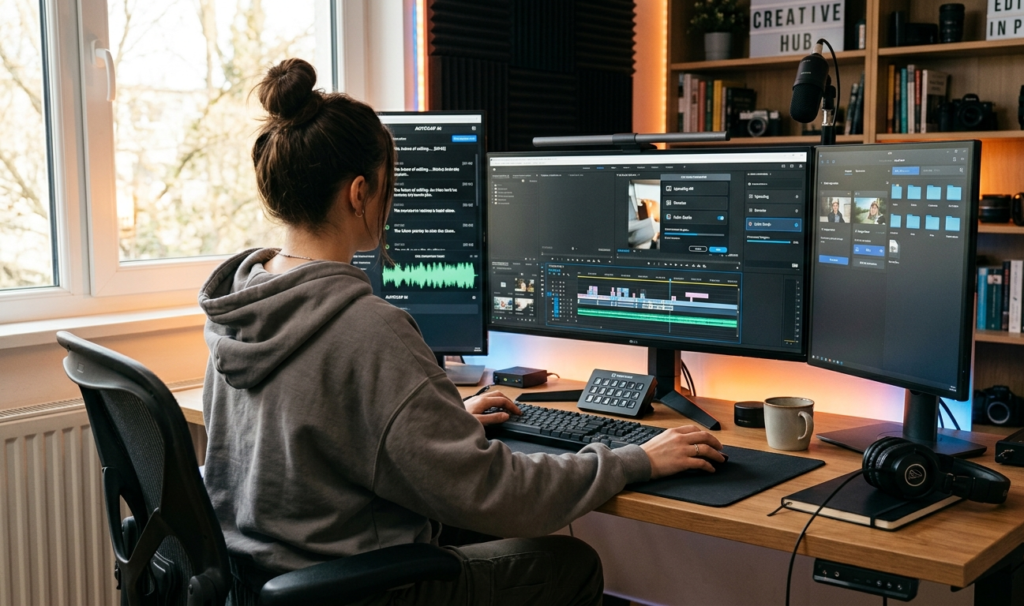
Imagine turning your blog posts into videos automatically.That’s exactly what Pictory AI does.
Why it’s powerful:
Converts scripts into videos
Adds visuals automatically
Perfect for content repurposing
My strategy:If you’re writing blog posts, you can turn them into TikTok or YouTube videos easily without recording anything.
7. Tome AI: Create Stunning Presentations Automatically
Tired of boring Power
Point slides?Tome AI generates beautiful presentations using just a prompt.
Why you’ll love it:
Modern, clean design
Fast creation
Great for storytelling
How it helps:
Whether you’re pitching an idea or creating content, it makes you look more professional without effort.
8. Copy.ai :Generate Marketing Content Fast
Writing can be hard especially when you’re starting out.Copy.ai helps you generate:
Blog outlines
Social media captions
Product descriptions
Why it matters:
You don’t need to struggle with writer’s block anymore.My experience:
When I needed ideas for Pinterest or blog headlines, this tool gave me multiple options instantly.
9. Leonardo AI: Create Stunning AI Images
If you want unique visuals, Leonardo AI is a hidden gem.It allows you to generate:
Artistic images
Realistic photos
Custom designs
Why it stands out:
High-quality outputs
Creative control
Free daily credits
Use case:
Instead of searching for stock images, I create my own.
This makes my content stand out more.
10. Krisp AI: Remove Background Noise from Audio

If you record audio or attend meetings, background noise can ruin everything.
Krisp AI removes unwanted noise in real time.
Why it’s helpful:
Cleaner audio
Better communication
Works with calls and recordings
Real-life benefit:
Even if you’re recording in a noisy environment, your audio will sound professional.
Common Mistake People Make with Free AI Tools
Here’s something I learned early:
Using too many tools at once slows you down.At first, I kept jumping from one AI tool to another, thinking more tools = more success,but the truth is:
You only need 2–3 tools to start
Consistency matters more than tools
Mastering a few tools beats trying everything
So instead of overwhelming yourself, pick a few from this list and actually use them.
How to Start Using These Tools (Simple Plan)
If you’re confused about where to begin, follow this:
Choose one tool for content (like Copy.ai or Notion AI)Choose one tool for visuals (like Leonardo AI or Remove.bg)Choose one tool for video/audio (like Pictory or ElevenLabs)That’s it.
Start small, stay consistent, and build from there.
Things You Need to Know Before You Start Using Free AI Tools
Before you start using free AI tools, there are a few important things to understand. First, “free” often comes with limits like daily usage caps, watermarks, or restricted features so don’t expect everything to be unlimited.
Second, AI isn’t perfect; it can make mistakes, so always review and edit the output before using it publicly.
Thirdly, your input matters a lot,the better your instructions (prompts), the better your results. Also, be careful with sensitive information; never upload private data to unknown platforms.
Another key point is consistency,using one or two tools regularly is more effective than jumping between many.
Finally, remember that AI is a helper, not a replacement. Your creativity, ideas, and effort are still what make your work unique and valuable.
You can also discover new and trending AI tools on Futurepedia, which regularly updates its listings.
Pros and Cons of Using Free AI Tools

Pros:
Free AI tools are budget-friendly, making them perfect for beginners who want to start without spending money.
They help you save time by automating tasks like writing, design, and editing. Most are easy to use, so you don’t need technical skills to get started.
They also allow you to experiment and learn new digital skills quickly.
Cons:
Free AI tools can sometimes be unreliable, with occasional downtime or slow performance when many users are online.
You may also face frequent updates or changes that affect how the tool works. Some platforms require sign-ups or push upgrades, which can interrupt your workflow.
There’s also a learning curve when trying to understand how to get the best results.
In some cases, content generated by AI may lack originality, meaning you’ll need to refine it to make it truly unique.
Final Thoughts
Finding the best free AI tools isn’t about chasing trends,it’s about discovering what works for you.These hidden tools can:
Save you time
Help you earn online
Make your content stand out and the best part? You don’t need money to start.
I’ve been where you are,trying to figure things out with limited resources but once I found the right tools and focused on using them consistently, things started to change.So don’t overthink it.
Pick one tool from this list today and start using it. That simple step could be the beginning of something big.
If you want to learn how AI is shaping the future of technology, check out resources from MIT Technology Review.
Frequently Asked Questions (FAQ)
Are free AI tools really worth it?
Yes, many free AI tools offer powerful features that are enough for beginners and even intermediate users.
Can I make money using free AI tools?
Absolutely. You can create content, offer services, or build online platforms using these tools.
Do I need technical skills to use these tools?
No, most of them are beginner-friendly and require little to no technical knowledge.
Which tool should I start with?
Start with one that matches your goal,writing, design, or video creation.
If you’re looking to stay productive while using AI tools, building a strong routine can help,check out my guide on Quick Morning Habits That Transform Your Day to start your mornings with focus and clarity.
